Microsoft Word: Edit Documents
Advertisement
Overview
Microsoft Word is a powerful document editing application that allows users to create, edit, and format text documents with ease. With a wide range of features and tools, it is a popular choice for professionals and students alike.
Get the app
All link sources on this site are jumped to App Store, Google Play and other official platforms. No virus, no malware.
Select a PlatformAdvertisement
Screenshots

Description
Microsoft Word is a powerful and versatile word processing application that has become the standard in the business world, academia, and personal use. It is part of the Microsoft Office suite of productivity tools and has been a staple in offices and homes for decades.
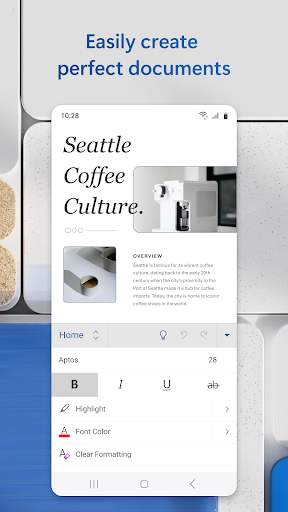
One of the key features of Microsoft Word is its user-friendly interface, which allows users to easily create, edit, and format documents. Whether you are writing a simple letter, crafting a resume, or working on a complex report, Microsoft Word provides a wide range of tools and options to help you get the job done efficiently and effectively.
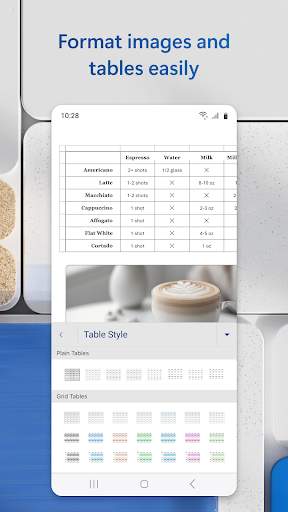
With Microsoft Word, you can easily customize the appearance of your documents by choosing from a variety of fonts, styles, colors, and formatting options. You can also insert images, tables, charts, and other visual elements to enhance your document and make it more engaging.
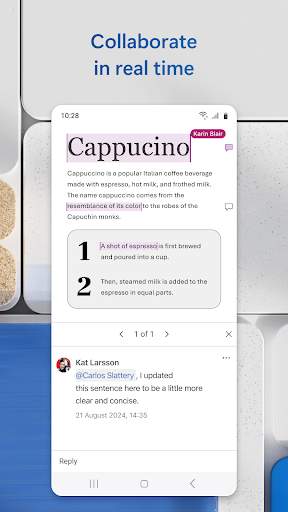
Collaboration is made easy with Microsoft Word, as multiple users can work on the same document simultaneously, whether they are in the same room or across the globe. The application offers real-time editing and commenting features, making it simple to track changes, provide feedback, and collaborate with colleagues or classmates.
Microsoft Word also includes a range of advanced features to help users work more efficiently. These include spell check, grammar check, and thesaurus tools to ensure your documents are error-free and well-written. The application also offers templates for various types of documents, such as resumes, letters, reports, and newsletters, to help users get started quickly.
For those who need to create professional-looking documents, Microsoft Word offers advanced formatting options, such as styles, headers and footers, page numbering, and more. Users can also create a table of contents, index, and bibliography for longer documents, making it easy to navigate and reference key information.
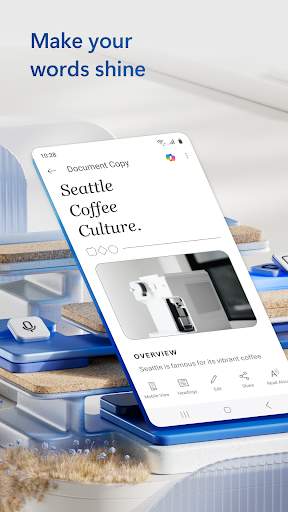
In addition to its desktop version, Microsoft Word is also available as a mobile app, allowing users to work on their documents on the go. The mobile app offers many of the same features as the desktop version, making it easy to create, edit, and share documents from your smartphone or tablet.
Overall, Microsoft Word is a versatile and powerful word processing application that is essential for anyone who needs to create and edit documents on a regular basis. With its user-friendly interface, advanced features, and collaboration tools, Microsoft Word makes it easy to produce professional-looking documents for any purpose.
Advertisement
System Compatibility
Ensure compatibility with your system before downloading the app.
Compatible with Windows, MacOS, and mobile devices running iOS and Android.
May vary depending on the device model and operating system version.
Performance may fluctuate based on device specifications and internet connection.
Permission Access
Storage access
Camera access
Internet access
These permissions are required for saving, accessing, and sharing documents securely.
Update Content
v2.5.0
Improved spell check feature
Enhanced file compatibility
Bug fixes for better stability
FAQ
How do I access the editing tools in Microsoft Word?
To access the editing tools in Microsoft Word, simply open the app and click on the 'Edit' option in the toolbar.
Can I track changes made to a document in Microsoft Word?
Yes, you can track changes made to a document in Microsoft Word by using the 'Track Changes' feature.
Is it possible to collaborate on a document in real-time using Microsoft Word?
Yes, you can collaborate on a document in real-time using Microsoft Word by sharing the document with others and enabling the 'Real-time collaboration' feature.
How can I save my edited document in Microsoft Word?
To save your edited document in Microsoft Word, click on the 'Save' button in the toolbar or use the keyboard shortcut 'Ctrl + S'.
Can I format text and add images in Microsoft Word?
Yes, you can format text and add images in Microsoft Word using the formatting options and insert feature in the toolbar.