Sling: Employee Scheduling App
Advertisement
Overview
Sling is a powerful employee scheduling app that helps businesses efficiently manage their workforce. With features like shift planning, time tracking, and communication tools, Sling makes scheduling easy and streamlined for both managers and employees.
Get the app
All link sources on this site are jumped to App Store, Google Play and other official platforms. No virus, no malware.
Select a PlatformAdvertisement
Screenshots

Description
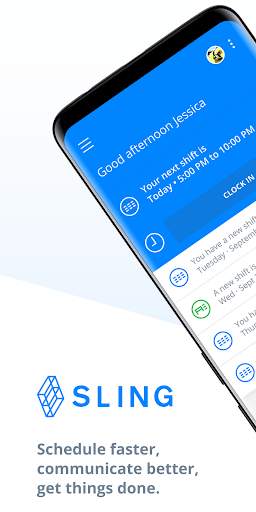
Sling is a powerful and user-friendly employee scheduling app designed to streamline and simplify the process of managing work schedules for businesses of all sizes. With its intuitive interface and robust features, Sling is the perfect solution for businesses looking to optimize their workforce management.
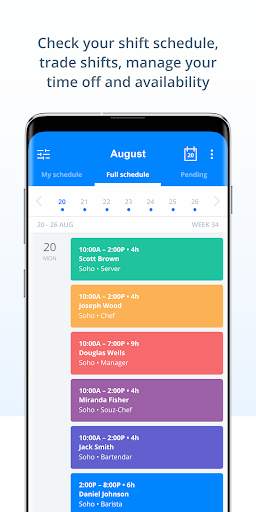
One of the key features of Sling is its ability to create and customize schedules quickly and easily. Managers can input employee availability, assign shifts, and make adjustments with just a few clicks. This ensures that schedules are always up-to-date and reflect the needs of both the business and the employees.
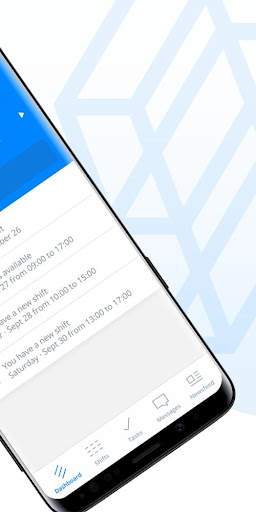
Sling also offers advanced scheduling tools such as shift templates, recurring shifts, and shift swapping. This allows managers to create efficient and consistent schedules while giving employees the flexibility to manage their own shifts. Additionally, Sling provides real-time notifications and alerts to keep everyone informed of any changes or updates to the schedule.
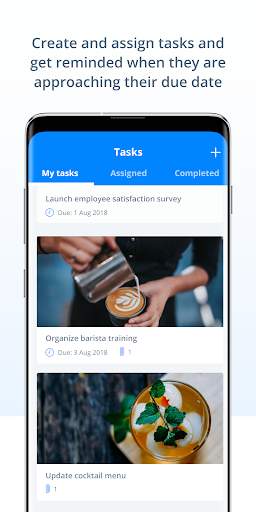
In addition to scheduling, Sling offers a range of other useful features to help businesses improve their workforce management. These include time tracking, task management, communication tools, and reporting capabilities. By consolidating these functions into one app, Sling helps businesses save time and resources while improving efficiency and productivity.
Sling is also designed to be accessible from anywhere, making it easy for managers and employees to access their schedules and communicate with each other on the go. The app is available on both desktop and mobile devices, allowing users to stay connected and informed no matter where they are.
Overall, Sling is a comprehensive and versatile employee scheduling app that can benefit businesses in a variety of industries. Whether you run a small retail store, a bustling restaurant, or a large corporate office, Sling can help you streamline your scheduling process, improve communication, and optimize your workforce management. Try Sling today and see how it can transform the way you schedule and manage your employees.
Advertisement
System Compatibility
Sling is compatible with various operating systems and devices.
Sling is available on iOS, Android, and web platforms.
For the best experience, please ensure your device is updated to the latest version. Older devices may experience limitations.
Performance may vary depending on device capabilities and network connection.
Permission Access
Sling requires access to location services for accurate shift tracking and notifications. It also needs access to your calendar for scheduling purposes.
These permissions are necessary to provide a seamless scheduling experience and ensure reliable shift updates and notifications.
Update Content
Improved shift swapping feature for easier scheduling changes.
Enhanced notification system for real-time updates on shift changes.
Bug fixes and performance improvements for a smoother user experience.
FAQ
How can I use the Sling app to schedule employees?
You can use the Sling app to easily create and manage employee schedules.
Can I communicate with my employees through the Sling app?
Yes, you can send messages and updates to your employees directly through the Sling app.
Is it possible to track employee availability on the Sling app?
Yes, you can track and manage employee availability within the Sling app.
Does the Sling app offer shift swapping options for employees?
Yes, employees can request and swap shifts with each other through the Sling app.
How can I access the Sling app on different devices?
You can access the Sling app on both mobile devices and desktop computers for convenience.