Uber - Request a ride
Advertisement
Overview
Uber is a popular ride-sharing app that allows users to easily request a ride from their location to their desired destination. With a few taps on the app, users can quickly connect with nearby drivers for a convenient and efficient transportation experience.
Get the app
All link sources on this site are jumped to App Store, Google Play and other official platforms. No virus, no malware.
Select a PlatformAdvertisement
Screenshots

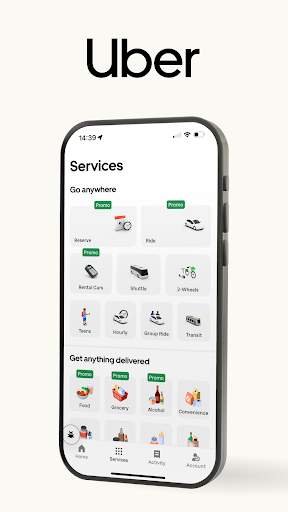
Description
Uber is a revolutionary transportation service that has transformed the way people move around cities and beyond. With just a few taps on your smartphone, you can request a ride to your destination quickly, conveniently, and affordably.
Founded in 2009, Uber has grown to become one of the most popular ride-hailing services in the world. Whether you need a ride to work, the airport, a night out with friends, or any other destination, Uber has got you covered. The app connects you with a network of drivers who are ready to pick you up and take you where you need to go.
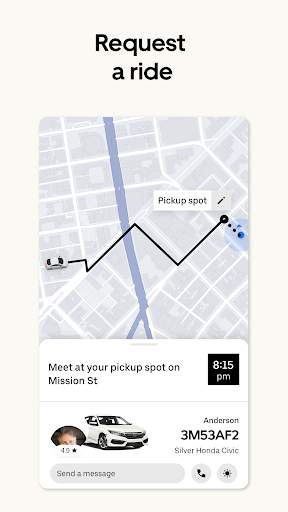
One of the key features that sets Uber apart from traditional taxi services is its convenience. Instead of waiting on the street for a cab to pass by, you can simply open the app, enter your destination, and request a ride. You can track your driver in real-time on the map, so you know exactly when they will arrive. Plus, you can pay for your ride seamlessly through the app, eliminating the need for cash transactions.
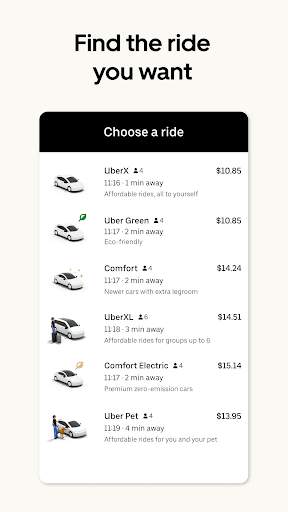
Uber offers a range of ride options to suit your needs and budget. Whether you prefer a standard ride in a sedan, a more spacious ride in an SUV, or a budget-friendly ride in a shared carpool, Uber has something for everyone. You can also choose to ride in style with Uber's luxury service, Uber Black, which offers high-end vehicles and professional drivers.
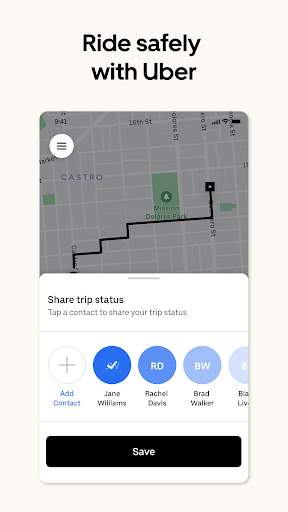
Safety is a top priority at Uber, and the app includes a number of features to ensure a secure and comfortable ride. Before your driver arrives, you can see their photo, license plate number, and the type of vehicle they are driving. You can also share your trip details with friends or family so they can track your journey in real-time. In addition, Uber conducts background checks on all drivers and allows riders to provide feedback and ratings after each trip.
Uber is not just a convenient way to get around – it is also a green alternative to driving your own car. By sharing rides with others or using public transportation in conjunction with Uber, you can help reduce traffic congestion and lower carbon emissions. Uber is committed to sustainability and is constantly working to improve its environmental impact.
In addition to its ride-hailing service, Uber has expanded its offerings to include food delivery with Uber Eats and package delivery with Uber Connect. Whether you need a meal from your favorite restaurant or a parcel delivered to a friend, Uber has a solution for you.
Overall, Uber has revolutionized the way we think about transportation. With its convenient app, affordable prices, safety features, and commitment to sustainability, Uber is a smart choice for getting around town. So next time you need a ride, just open the app and let Uber take you where you need to go.
Advertisement
System Compatibility
Uber - Request a ride is compatible with both iOS and Android devices. Make sure to have the latest version of the app installed to ensure optimal performance. Please note that performance may fluctuate based on your device's capabilities and network connection.
Permission Access
Uber - Request a ride requires access to your location, contacts, and payment information to provide you with the best experience. Location access is necessary for finding your pickup location, contacts for sharing ride details, and payment information for processing transactions securely.
Update Content
We regularly update Uber - Request a ride to improve performance, fix bugs, and add new features. Recent updates may include better navigation, faster pickup times, and enhanced safety measures. Make sure to update the app to access the latest improvements.
FAQ
How do I request a ride using Uber?
To request a ride on Uber, simply open the app, enter your destination, and select a car type.
Can I schedule a ride in advance on Uber?
Yes, you can schedule a ride in advance on Uber by selecting the 'Schedule a ride' option in the app.
How can I pay for my Uber ride?
You can pay for your Uber ride using the payment method linked to your account, including credit/debit cards, PayPal, or Uber credits.
What should I do if I forgot something in my Uber ride?
If you believe you left something in your Uber ride, you can contact the driver directly or use the app to report a lost item.
Is it possible to cancel an Uber ride after I've requested it?
Yes, you can cancel an Uber ride after requesting it, but keep in mind that a cancellation fee may apply depending on the circumstances.