Noteshelf 3: Digital Notes
Advertisement
Overview
Noteshelf 3 is a digital note-taking app that allows users to effortlessly create, organize, and share their notes in a user-friendly interface. With a wide range of customization options and features, it is the perfect tool for taking digital notes on the go.
Get the app
All link sources on this site are jumped to App Store, Google Play and other official platforms. No virus, no malware.
Select a PlatformAdvertisement
Screenshots
Description
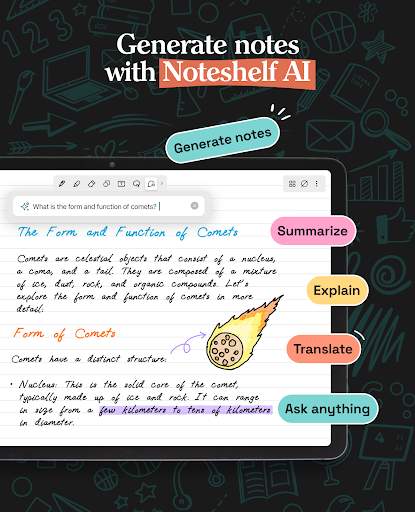
Noteshelf 3 is a powerful digital note-taking app that provides users with a seamless and intuitive way to take notes, sketch ideas, annotate documents, and organize their thoughts. With its user-friendly interface and robust set of features, Noteshelf 3 is designed to enhance the note-taking experience and help users stay organized and productive.
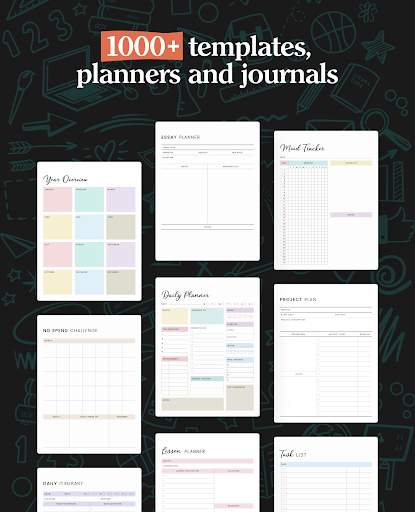
One of the key features of Noteshelf 3 is its extensive collection of digital notebooks and paper templates, which cater to a variety of needs and preferences. Whether you prefer lined paper, grid paper, blank paper, or specialty templates like music sheets or storyboards, Noteshelf 3 has you covered. Users can also create their own custom templates to suit their specific requirements.
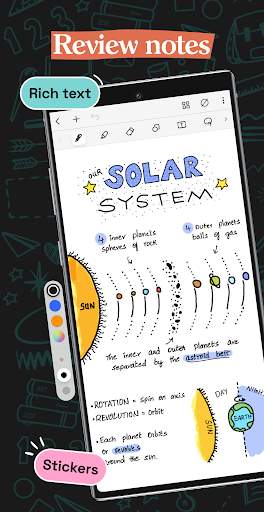
Noteshelf 3 offers a wide range of tools for note-taking and sketching, including pens, pencils, highlighters, markers, and erasers. Users can choose from different pen thicknesses and colors to customize their writing and drawing styles. The app also supports pressure sensitivity, palm rejection, and tilt recognition, providing a natural and responsive writing and drawing experience.
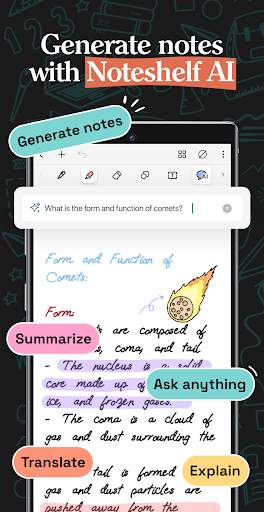
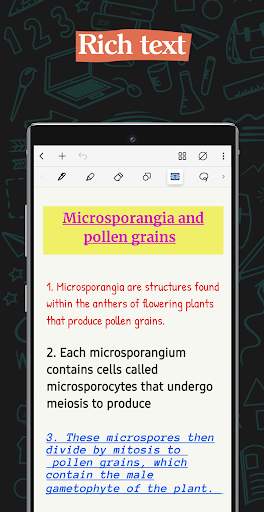
In addition to traditional note-taking tools, Noteshelf 3 includes advanced features such as shape recognition, text conversion, and handwriting recognition. Users can draw basic shapes like squares, circles, and triangles, and the app will automatically convert them into perfect geometric shapes. Handwritten notes can be converted into editable text for easy searching and sharing. These features make it easier to create professional-looking notes and sketches with minimal effort.
Noteshelf 3 also supports audio recording, allowing users to record lectures, meetings, interviews, or personal memos while taking notes. The app synchronizes audio recordings with written notes, making it easy to revisit important points and ideas. Users can playback recordings and review notes simultaneously, enhancing their understanding and retention of information.
Organization is a key aspect of effective note-taking, and Noteshelf 3 offers a variety of tools to help users stay organized. Notes can be organized into notebooks, sections, and pages, making it easy to categorize and access information. Users can also tag notes, search for keywords, and create bookmarks for quick reference. The app supports cloud synchronization, allowing users to access their notes across multiple devices and platforms.
Noteshelf 3 is compatible with Apple Pencil and other stylus devices, making it ideal for users who prefer to write and draw by hand. The app is optimized for iPad and offers a responsive and fluid writing experience. Whether you are a student, educator, professional, or creative individual, Noteshelf 3 provides a versatile and flexible platform for capturing ideas and information in a digital format.
Overall, Noteshelf 3 is a comprehensive and feature-rich app that caters to the diverse needs of note-taking and sketching enthusiasts. With its intuitive interface, powerful tools, and seamless integration with digital workflows, Noteshelf 3 is a valuable tool for anyone looking to enhance their productivity and creativity through digital note-taking.
Advertisement
System Compatibility
Noteshelf 3 is compatible with various devices and platforms.
Available on iOS devices running iOS 11.0 or later.
Available on Android devices running Android 5.0 or later.
Some features may vary depending on the device and operating system version.
Performance may fluctuate based on device specifications and system resources.
Permission Access
Camera access for scanning documents
Storage access for saving notes and documents
Notification access for reminders and alerts
These permissions are necessary for the app to function properly and provide essential features.
Update Content
Added support for dark mode
Improved handwriting recognition accuracy
Fixed bugs and enhanced app stability
The latest updates focus on enhancing user experience and addressing user feedback.
FAQ
Can I use Noteshelf 3 for taking digital notes?
Yes, Noteshelf 3 is specifically designed for taking digital notes.
Is Noteshelf 3 compatible with Apple Pencil?
Yes, Noteshelf 3 is compatible with Apple Pencil for seamless note-taking experience.
Does Noteshelf 3 support handwritten notes?
Yes, Noteshelf 3 supports handwritten notes for a more personalized touch.
Can I import PDFs into Noteshelf 3?
Yes, you can import PDFs into Noteshelf 3 for annotating and taking notes on them.
Is there a backup feature in Noteshelf 3?
Yes, Noteshelf 3 offers backup options to secure your notes and prevent data loss.