
My Total Wireless: Account App
Advertisement
Overview
"My Total Wireless: Account App" is a convenient tool for Total Wireless customers to manage their accounts, check usage, and make payments easily. Stay on top of your mobile plan effortlessly with this user-friendly app.
Get the app
All link sources on this site are jumped to App Store, Google Play and other official platforms. No virus, no malware.
Select a PlatformAdvertisement
Screenshots

Description
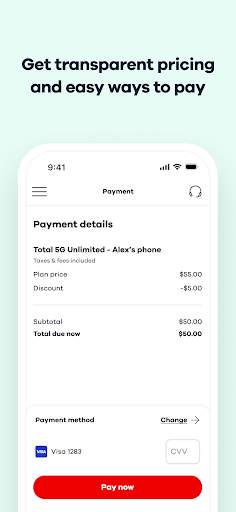
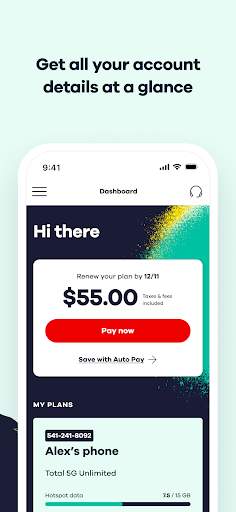
My Total Wireless: Account App is a convenient and user-friendly mobile application designed to provide Total Wireless customers with easy access to manage their accounts and services on the go. Whether you are looking to check your balance, refill your airtime, monitor your data usage, or update your account information, this app offers a variety of features to help you stay connected and in control of your wireless services.
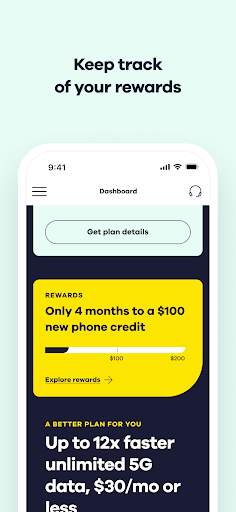
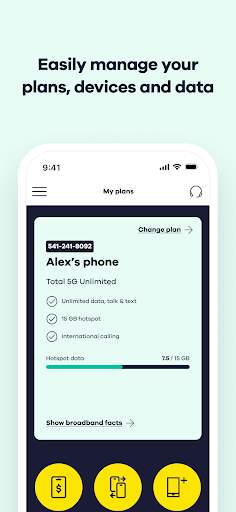
With My Total Wireless: Account App, you can easily view your account details, including your current plan, remaining balance, and expiration date. This allows you to stay informed about your usage and make any necessary adjustments to ensure your service continues without interruption. The app also provides quick and simple ways to add airtime or data to your plan, making it easy to stay connected without any hassle.
One of the key features of the app is the ability to manage multiple lines and devices under one account. This is especially convenient for families or individuals with multiple devices, as it allows you to easily monitor and manage all of your lines from one centralized location. You can view each line's usage, add airtime or data as needed, and make changes to your plan without having to log in to multiple accounts.
In addition to account management features, My Total Wireless: Account App offers a range of tools to help you get the most out of your wireless service. You can set up auto-refill options to ensure you never run out of airtime, track your data usage to avoid overages, and receive notifications about your account status and promotions. The app also provides easy access to customer support resources, making it simple to get help with any questions or issues you may have.
The app is designed with a clean and intuitive interface, making it easy for users to navigate and find the information they need quickly. Whether you are a long-time Total Wireless customer or new to the service, My Total Wireless: Account App offers a seamless and convenient way to manage your account and stay connected wherever you go.
Overall, My Total Wireless: Account App is a valuable tool for Total Wireless customers looking to simplify the management of their accounts and services. With its user-friendly features and convenient functionality, this app provides a seamless and efficient way to stay on top of your wireless needs. Download My Total Wireless: Account App today and take control of your Total Wireless experience with ease.
Advertisement
System Compatibility
Ensure your device is compatible with the My Total Wireless app.
Compatible with iOS and Android platforms.
Make sure you are using the latest version of the app for optimal performance.
Performance may fluctuate based on your device's capabilities.
Permission Access
The My Total Wireless app requires access to your phone's location, contacts, and storage.
Location access is needed for store locator feature, contact access is needed for referral program, and storage access is needed to save bill payment information.
Update Content
Recent updates include bug fixes, improved security measures, and enhanced user interface.
We constantly work to make the My Total Wireless app better for our users. Stay tuned for more updates!
FAQ
How can I check my account balance on My Total Wireless: Account App?
You can check your account balance by logging into the My Total Wireless: Account App and going to the 'Account Balance' section.
Can I change my plan through the My Total Wireless: Account App?
Yes, you can change your plan by accessing the 'Plan' section in the My Total Wireless: Account App.
Is it possible to add more data to my plan using the My Total Wireless: Account App?
Yes, you can add more data to your plan by navigating to the 'Data' section within the My Total Wireless: Account App.
How do I set up auto-pay on the My Total Wireless: Account App?
To set up auto-pay, simply go to the 'Payments' section in the My Total Wireless: Account App and enable the auto-pay option.
What should I do if I forgot my password for the My Total Wireless: Account App?
If you forgot your password, you can reset it by clicking on the 'Forgot Password' link on the login page of the My Total Wireless: Account App.