WavePad Music and Audio Editor
Advertisement
Overview
WavePad Music and Audio Editor is a versatile app that allows users to easily edit and customize their music and audio files with a wide range of professional tools and effects. Whether you're a beginner or a seasoned musician, WavePad provides a user-friendly interface for all your audio editing needs.
Get the app
All link sources on this site are jumped to App Store, Google Play and other official platforms. No virus, no malware.
Select a PlatformAdvertisement
Screenshots
Description
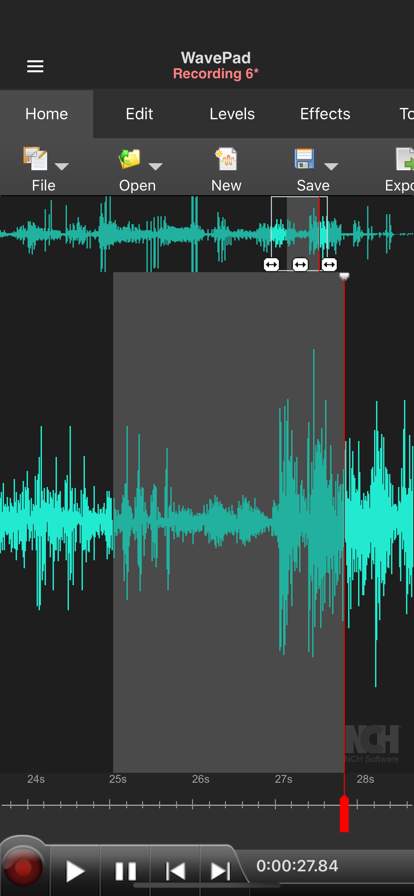
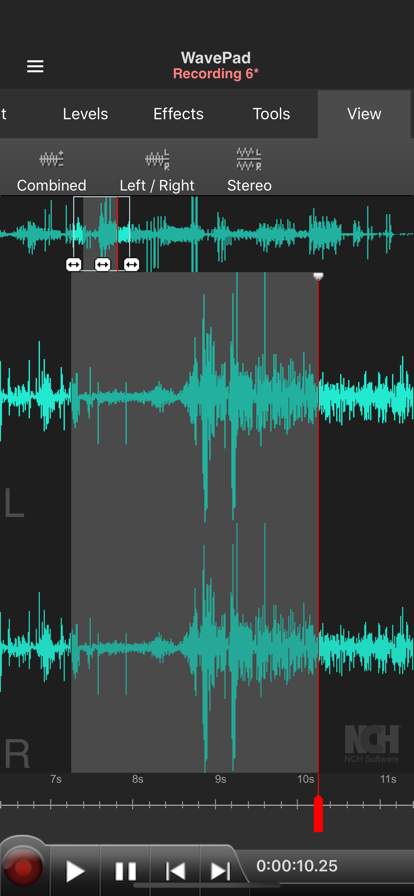
WavePad Music and Audio Editor is a versatile and powerful app that allows users to create, edit, and enhance audio files with ease. Whether you are a music enthusiast, a podcaster, a sound engineer, or simply someone who enjoys playing around with audio, WavePad offers a wide range of features to cater to your audio editing needs.
One of the key features of WavePad is its intuitive and user-friendly interface, making it easy for both beginners and experienced users to navigate the app and access its tools. The app supports a variety of audio file formats, including MP3, WAV, AIFF, FLAC, and more, allowing you to work with different types of audio files seamlessly.
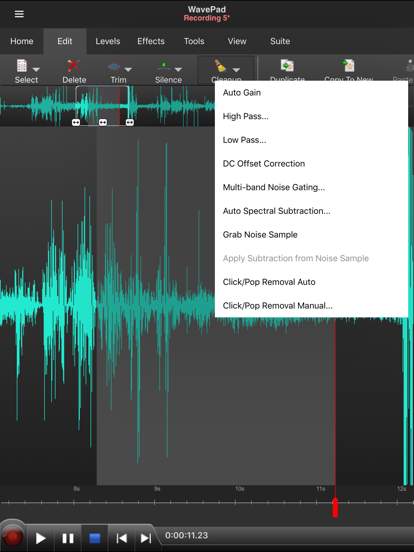
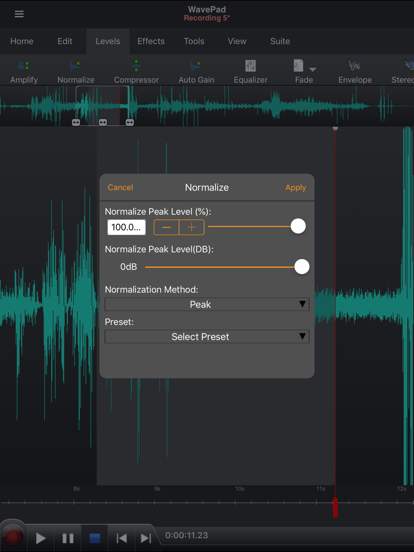
WavePad offers a comprehensive set of editing tools that enable users to cut, copy, paste, trim, and merge audio clips effortlessly. You can adjust the volume, speed, and pitch of your audio files, apply various sound effects such as echo, reverb, and distortion, and enhance the overall quality of your audio recordings with equalization and noise reduction tools.
For musicians and music producers, WavePad provides advanced features like the ability to create loops, mix multiple tracks, and apply audio effects in real-time. You can record vocals, instruments, or any other sound directly within the app and fine-tune them to perfection. The app also supports MIDI playback, making it a valuable tool for composing music on the go.
Podcasters and radio hosts can benefit from WavePad's voice recording and editing capabilities, allowing them to create professional-sounding podcasts and broadcasts with ease. You can remove background noise, adjust voice levels, and add intro/outro music to your recordings to enhance their quality and engage your audience.
In addition to its editing features, WavePad also offers a range of export options, allowing you to save your audio projects in various formats and share them across different platforms. You can export your files to your device, cloud storage, or directly to social media sites, making it convenient to showcase your work and collaborate with others.
Whether you are looking to edit music tracks, create podcasts, enhance audio recordings, or experiment with sound effects, WavePad Music and Audio Editor provides all the tools you need in one comprehensive app. With its user-friendly interface, powerful editing capabilities, and versatile export options, WavePad is a must-have tool for anyone looking to take their audio editing skills to the next level. Download WavePad Music and Audio Editor today and unleash your creativity in the world of audio editing.
Advertisement
System Compatibility
WavePad Music and Audio Editor is compatible with both Android and iOS devices. For Android users, the app is available on Google Play Store and requires Android version 5.0 or higher. For iOS users, the app can be downloaded from the App Store and is compatible with iOS version 10.0 or later. Please note that device compatibility can vary, and performance may fluctuate based on the device's specifications.
Permission Access
WavePad Music and Audio Editor requires access to your device's microphone and storage in order to record and save audio files. The app also needs permission to access your music library to import existing audio files for editing. Rest assured that your privacy and data security are top priorities for us, and we only collect necessary information for app functionality.
Update Content
Recent updates to WavePad Music and Audio Editor include improved stability and performance enhancements. We have also added new features such as enhanced audio effects and a more intuitive user interface. Make sure to keep your app updated to enjoy the latest enhancements and improvements.
FAQ
Can I use WavePad Music and Audio Editor to edit my music files?
Yes, WavePad Music and Audio Editor is designed specifically for editing music and audio files.
Is WavePad Music and Audio Editor available for both iOS and Android devices?
Yes, WavePad Music and Audio Editor is available for both iOS and Android devices.
Can I record new audio within the WavePad Music and Audio Editor app?
Yes, WavePad Music and Audio Editor allows you to record new audio directly within the app.
Does WavePad Music and Audio Editor offer a variety of editing tools and effects?
Yes, WavePad Music and Audio Editor offers a wide range of editing tools and effects for enhancing your audio files.
Can I export my edited audio files from WavePad Music and Audio Editor to different formats?
Yes, WavePad Music and Audio Editor allows you to export your edited audio files to various formats for sharing and playback.