
Apk Backup
Advertisement
Overview
Apk Backup is a handy tool that allows users to easily backup and restore their Android app files. Safeguard your valuable apps and data with this convenient app backup solution.
Get the app
All link sources on this site are jumped to App Store, Google Play and other official platforms. No virus, no malware.
Select a PlatformAdvertisement
Screenshots
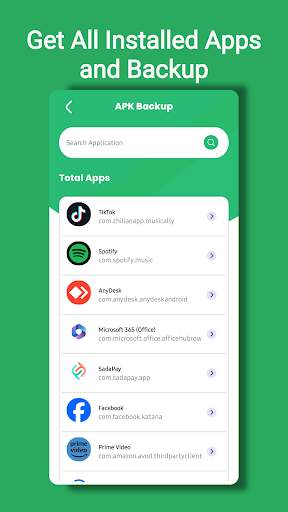
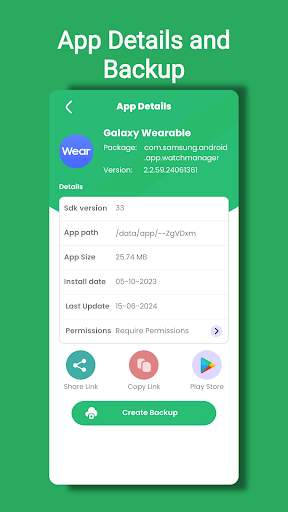
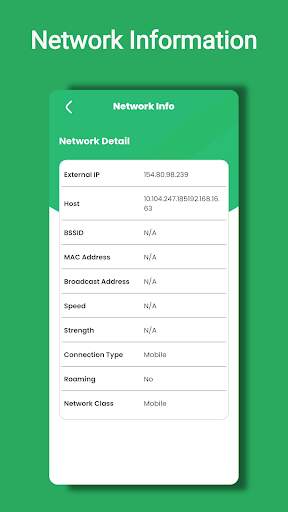
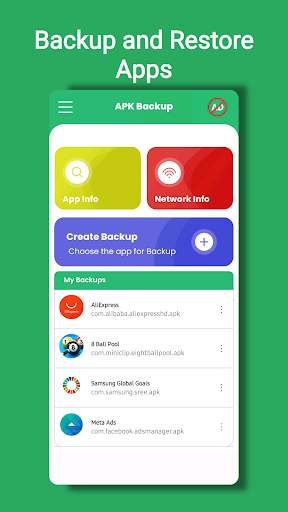
Description
Introduction:
Apk Backup is a powerful and convenient Android application that allows users to easily backup and restore their installed apps and APK files. With Apk Backup, users can safeguard their apps and data by creating backups that can be restored at any time, ensuring that they never lose their important information.
Key Features:
1. Backup Apps and APK Files:
Apk Backup enables users to create backups of their installed apps and APK files with just a few taps. Users can choose to backup individual apps or select multiple apps for batch backup. This feature is especially useful when switching devices or performing a factory reset, as it allows users to quickly restore their apps and data without having to re-download them from the Play Store.
2. Restore Apps and Data:
In addition to backing up apps, Apk Backup also offers a seamless and easy-to-use restore feature. Users can quickly restore their apps and data from previously created backups, ensuring that they can recover their information in case of accidental deletion or device failure.
3. Scheduled Backups:
With Apk Backup, users can schedule automatic backups of their apps and APK files at regular intervals. This feature is particularly useful for users who want to ensure that their data is regularly backed up without having to remember to do it manually. Scheduled backups can be set to occur daily, weekly, or at a custom interval, providing users with flexibility and peace of mind.
4. Cloud Backup and Restore:
Apk Backup also supports cloud storage services, allowing users to backup their apps and data to popular cloud platforms such as Google Drive, Dropbox, and OneDrive. This feature ensures that users can securely store their backups off-site, protecting them from data loss in the event of device theft or damage.
5. Easy-to-Use Interface:
The user interface of Apk Backup is simple, clean, and intuitive, making it easy for users of all levels of technical expertise to navigate and use the app effectively. The app's design focuses on functionality and ease of use, ensuring that users can quickly and effortlessly backup and restore their apps without any hassle.
6. Lightweight and Efficient:
Despite its powerful features, Apk Backup is a lightweight application that does not consume a significant amount of system resources. The app is designed to be fast and efficient, allowing users to quickly backup and restore their apps without experiencing any slowdowns or performance issues on their devices.
Conclusion:
In conclusion, Apk Backup is an essential tool for Android users who want to safeguard their apps and data against loss or corruption. With its easy-to-use interface, scheduled backups, cloud storage support, and efficient performance, Apk Backup provides users with a reliable and convenient way to backup and restore their apps and APK files. Whether you are a casual user or a power user, Apk Backup is a must-have app for ensuring the security and integrity of your Android apps and data.
Advertisement
System Compatibility
Ensure that Apk Backup is compatible with your system before proceeding.
Compatible with Android systems only.
May not work with all device models or Android versions.
Performance may vary depending on system specifications.
Permission Access
Apk Backup requires permission to access storage to backup and restore APK files.
This allows the app to safely save and retrieve APK files on your device.
Update Content
Improved backup speed and reliability.
Fixed bugs and optimized app performance.
FAQ
How do I back up my APK files?
Simply open the Apk Backup app and select the files you want to back up.
Can I restore APK files using this app?
Yes, you can easily restore your APK files from the backup created by Apk Backup.
Is there a limit to the number of APK files I can back up?
There is no limit to the number of APK files you can back up using Apk Backup.
Can I schedule automatic backups with this app?
Yes, you can schedule automatic backups at regular intervals using the Apk Backup app.
Is the backup process secure?
Yes, the backup process in Apk Backup is secure and your files are encrypted for protection.