Android Auto
Advertisement
Overview
Android Auto is a smart driving companion that allows users to safely access and control their favorite apps while on the road. It provides hands-free navigation, communication, and entertainment features to help drivers stay focused on driving.
Get the app
All link sources on this site are jumped to App Store, Google Play and other official platforms. No virus, no malware.
Select a PlatformAdvertisement
Screenshots
Description
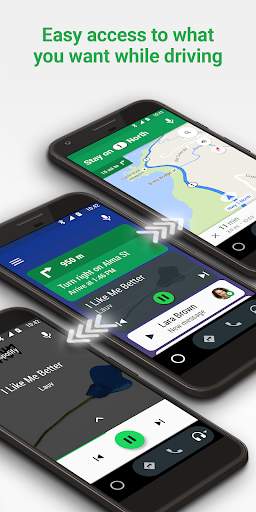
Android Auto is a cutting-edge application developed by Google that brings the functionality of your Android smartphone directly to your car's dashboard. By providing a simplified interface and hands-free operation, Android Auto allows users to access a variety of features and services while keeping their attention focused on the road.
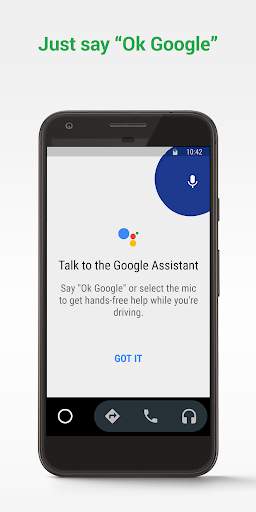
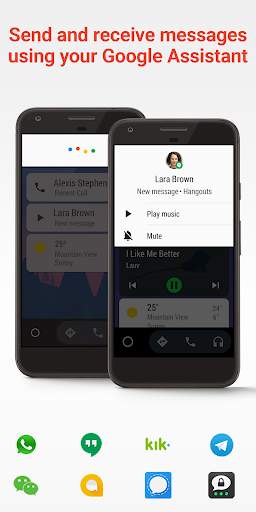
One of the key features of Android Auto is its seamless integration with your car's infotainment system, allowing you to make calls, send messages, and control music playback using voice commands or the touchscreen display. This hands-free approach to interaction helps to minimize distractions while driving, enhancing safety for both the driver and passengers.
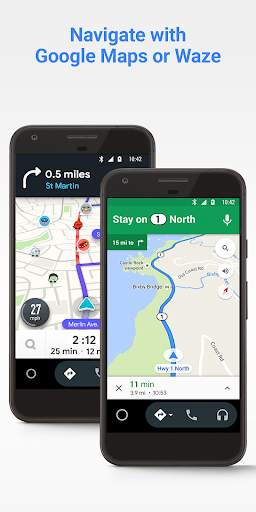
Navigation is another area where Android Auto excels, offering real-time traffic updates, turn-by-turn directions, and voice-guided navigation to help you reach your destination efficiently. Whether you're commuting to work, running errands, or embarking on a road trip, Android Auto can provide you with the information you need to navigate with ease.
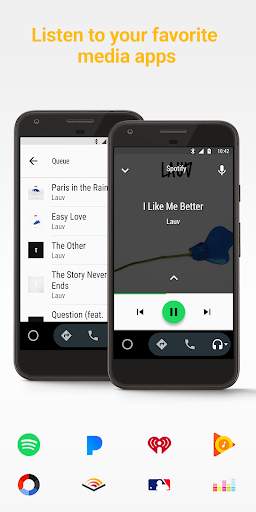
In addition to communication and navigation, Android Auto also supports a wide range of entertainment options. You can listen to your favorite music, podcasts, and audiobooks through popular streaming services, or access your personal library of media content. With support for apps like Spotify, Pandora, and Google Play Music, you can enjoy a personalized listening experience while on the go.
Android Auto is constantly evolving to meet the needs of modern drivers, with updates and new features being regularly introduced. For example, the platform now supports wireless connectivity, allowing you to use Android Auto without the need for a physical USB connection. This enhances convenience and flexibility, making it easier to access your smartphone's features while driving.
Moreover, Android Auto is compatible with a wide range of car models from various manufacturers, ensuring that more drivers can benefit from its functionality. Whether you have a new vehicle with built-in Android Auto support or an older car with a compatible aftermarket infotainment system, you can enjoy the convenience and safety features that Android Auto has to offer.
Overall, Android Auto is a powerful tool that enhances the driving experience by seamlessly integrating your smartphone with your car. With its intuitive interface, hands-free operation, and support for a variety of features, Android Auto helps you stay connected, informed, and entertained while on the road. Whether you're a daily commuter or a road-trip enthusiast, Android Auto is designed to make your journey safer, more enjoyable, and more convenient.
Advertisement
System Compatibility
Android Auto is compatible with most Android devices, but there may be some limitations.
Android Auto requires devices with Android 5.0 (Lollipop) or higher.
Some features may vary depending on the make and model of your device.
Performance may vary based on device specifications and available network connection.
Permission Access
Location
Contacts
Voice Input
Android Auto requires access to location for navigation, contacts for calling and messaging, and voice input for hands-free use.
Update Content
Improved voice recognition accuracy
Added support for more messaging apps
Bug fixes and performance enhancements
FAQ
What is Android Auto?
Android Auto is a mobile app developed by Google that allows users to mirror certain features of their Android device on their car's in-dash display.
How do I use Android Auto?
To use Android Auto, simply download the app from the Google Play Store, connect your Android device to a compatible car display, and follow the on-screen instructions.
Can I use Android Auto with any car?
Android Auto is compatible with select car models from various manufacturers, so it may not work with every car.
What features does Android Auto offer?
Android Auto offers features like GPS navigation, music playback, voice commands, and hands-free calling, all optimized for use in a car.
Is Android Auto free to use?
Yes, Android Auto is a free app available for download on the Google Play Store.