
Clip Studio Paint
Advertisement
Overview
Clip Studio Paint is a powerful digital art software that offers a wide range of tools for illustration, manga, and animation creation. With customizable brushes, advanced layer management, and support for various file formats, it is a versatile tool for artists and designers.
Get the app
All link sources on this site are jumped to App Store, Google Play and other official platforms. No virus, no malware.
Select a PlatformAdvertisement
Screenshots
Description
Clip Studio Paint is a professional-grade software designed for digital artists, illustrators, and animators. With a wide range of powerful tools and features, this versatile application has become a favorite among creators worldwide.
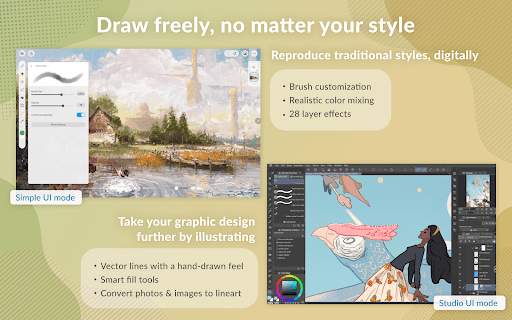
One of the key features of Clip Studio Paint is its extensive brush customization options. Users can create and customize their own brushes to suit their unique artistic style, allowing for a truly personalized drawing experience. Whether you prefer traditional media-like brushes or more experimental tools, Clip Studio Paint offers a wide variety of options to choose from.
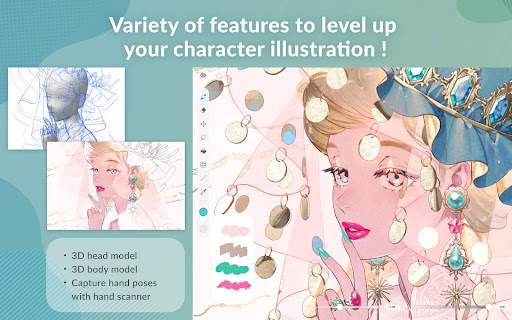
In addition to its brush customization, Clip Studio Paint also offers a range of advanced drawing and painting tools. From advanced pen pressure sensitivity settings to perspective rulers and symmetry tools, artists have everything they need to bring their ideas to life with precision and ease. The software also includes a variety of special effects and filters to enhance and stylize artwork.
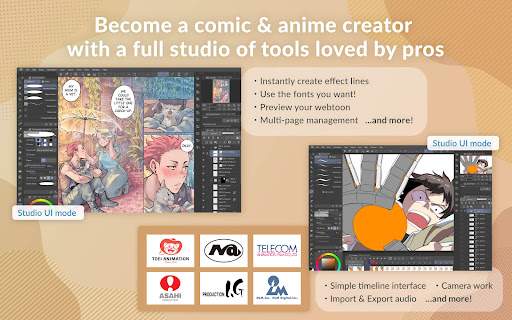
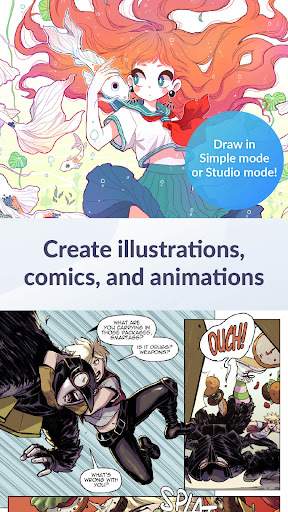
For comic artists and illustrators, Clip Studio Paint offers specialized features such as panel creation tools, speech bubble options, and comic frame templates. These tools streamline the comic creation process, making it easy to produce professional-looking comics and manga. The software also supports multi-page documents, allowing artists to create entire comic books within the same program.
Clip Studio Paint's animation features set it apart from other digital art software. Users can create frame-by-frame animations, add camera movements, and adjust timing and playback settings to bring their illustrations to life. With timeline-based editing and onion skinning tools, animators can easily create smooth and dynamic animations directly within the software.
In addition to its robust feature set, Clip Studio Paint offers a user-friendly interface that is easy to navigate and customize. Artists can organize their workspace to suit their workflow, rearranging palettes, tools, and panels to create a personalized working environment. The software also supports touch and gesture controls, making it ideal for use on touch-enabled devices such as tablets and 2-in-1 laptops.
Whether you're a hobbyist looking to explore digital art or a professional illustrator working on a tight deadline, Clip Studio Paint provides the tools you need to unleash your creativity. With its powerful features, customizable brushes, and specialized comic and animation tools, this software has become a go-to choice for artists of all levels. Experience the endless possibilities of digital art with Clip Studio Paint.
Advertisement
System Compatibility
Clip Studio Paint is compatible with Windows, macOS, iPad, iPhone, and Galaxy devices. Make sure to check the app store for specific requirements for your device or version. Performance may vary depending on the device and available resources.
Permission Access
Clip Studio Paint requires permissions for accessing photos, camera, and files to allow users to import and export artwork. These permissions are necessary for the app to function properly and provide users with a seamless experience.
Update Content
Recent updates to Clip Studio Paint include improved brush performance, new brushes and brush settings, stability enhancements, and bug fixes. These updates aim to enhance the user experience and provide a more efficient and enjoyable digital art creation process.
FAQ
How do I install Clip Studio Paint?
You can download Clip Studio Paint from the official website and follow the installation instructions.
Is Clip Studio Paint available for both Windows and Mac?
Yes, Clip Studio Paint is available for both Windows and Mac operating systems.
Can I use Clip Studio Paint on my tablet device?
Yes, Clip Studio Paint is compatible with some tablet devices for drawing and painting.
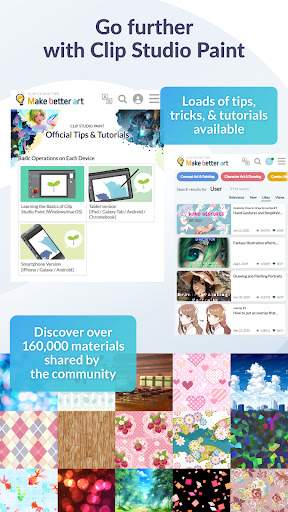
Are there any tutorials available for learning how to use Clip Studio Paint?
Yes, there are plenty of tutorials available online to help you learn how to use Clip Studio Paint.
Does Clip Studio Paint offer cloud storage for saving my artwork?
Yes, Clip Studio Paint offers cloud storage options for saving and accessing your artwork from anywhere.
You may also like
-

- NJ TRANSIT Mobile App
- 3.8
-
- TinyTap: Kids' Learning Games
- 4.7
-
- DramaBox - Stream Drama Shorts
- 4.6
-
- Amazon Flex
- 4.5
-
- Google Lens
- 4.7
-
- Yuka - Food & Cosmetic Scanner
- 4.8
-
- TouchTunes: Control Bar Music
- 4.9
-
- Extreme Car Driving Simulator
- 4.3
-
- Minecraft
- 4.5
-
- Know Weather: Live Radar
- 4.8
-
- SnoreLab : Record Your Snoring
- 4.7
-
- Temu: Shop Like a Billionaire
- 4.6