
Smartsheet: Projects & Teams
Advertisement
Overview
Smartsheet is a powerful project and team management tool that helps you collaborate, organize, and track progress efficiently. With its user-friendly interface and robust features, Smartsheet streamlines workflows and enhances productivity for teams of all sizes.
Get the app
All link sources on this site are jumped to App Store, Google Play and other official platforms. No virus, no malware.
Select a PlatformAdvertisement
Screenshots
Description
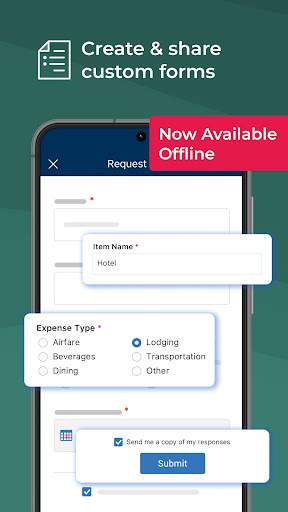
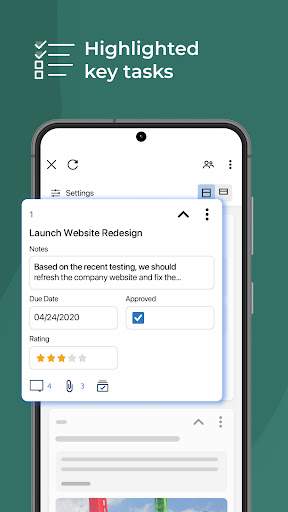
Smartsheet is a powerful and versatile project management and collaboration tool designed to streamline work processes for projects and teams of all sizes. With its intuitive interface and robust features, Smartsheet empowers users to plan, track, automate, and report on their work with ease.
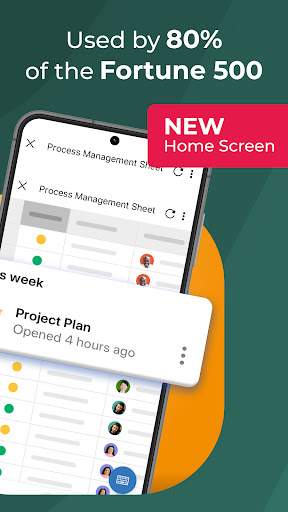
One of the key features of Smartsheet is its flexible project planning capabilities. Users can create and customize project plans using Gantt charts, Kanban boards, or traditional grid views to fit their specific needs and preferences. This allows teams to visually map out project timelines, dependencies, and milestones, making it easier to stay on track and meet deadlines.
Collaboration is at the heart of Smartsheet, enabling teams to work together seamlessly regardless of their location. Team members can assign tasks, set priorities, and share files and documents within the platform, fostering a transparent and efficient working environment. Real-time updates and notifications ensure that everyone stays informed and aligned throughout the project lifecycle.
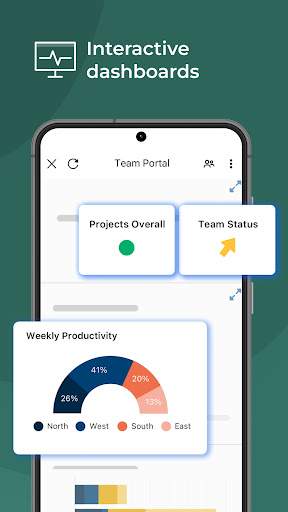
For project tracking and progress monitoring, Smartsheet offers a variety of tools and features. Users can set up automated alerts and reminders, create custom reports and dashboards, and track key metrics to measure performance and identify areas for improvement. This data-driven approach helps teams make informed decisions and adapt quickly to changes, ensuring project success.
Automation is another standout feature of Smartsheet, allowing users to streamline repetitive tasks and workflows. By creating automated processes using conditional logic and triggers, teams can save time and reduce errors, ultimately increasing productivity and efficiency. This feature is especially beneficial for complex projects with multiple moving parts.
In addition to its project management capabilities, Smartsheet also excels in team collaboration and communication. Users can engage in real-time discussions, share updates, and provide feedback within the platform, fostering a culture of transparency and accountability. This open communication channel helps teams stay connected and aligned, even when working remotely.
Security is a top priority for Smartsheet, with robust features and controls in place to protect sensitive data and ensure compliance with industry regulations. Users can set permissions and access levels, encrypt data in transit and at rest, and integrate with single sign-on providers for added security. This peace of mind allows teams to focus on their work without worrying about data breaches or unauthorized access.
Overall, Smartsheet is a comprehensive project management and collaboration solution that empowers teams to work smarter, not harder. With its user-friendly interface, powerful features, and strong emphasis on teamwork and communication, Smartsheet is the ideal choice for organizations looking to boost productivity, streamline processes, and achieve project success.
Advertisement
System Compatibility
Ensure that your device is compatible with Smartsheet.
Smartsheet is compatible with iOS and Android devices.
Please ensure that you are using the latest version of the app to avoid any issues.
Due to varying device specifications, performance may fluctuate. Please contact support if you experience any issues.
Permission Access
Understand the permissions required by Smartsheet.
Smartsheet requires access to your device's camera, storage, and network connection to function properly.
These permissions are necessary for features like uploading files, taking photos, and syncing data.
Update Content
Stay up to date with the latest improvements and features.
In our latest update, we have improved performance, added new collaboration tools, and enhanced security features.
Make sure to regularly check for updates in the app store to take advantage of these improvements.
FAQ
What is Smartsheet: Projects & Teams?
Smartsheet: Projects & Teams is a project management app designed to help teams collaborate, streamline workflows, and track progress.
How can Smartsheet: Projects & Teams help my team?
Smartsheet: Projects & Teams can help your team stay organized, communicate effectively, and meet project deadlines more efficiently.
Is Smartsheet: Projects & Teams suitable for small businesses?
Yes, Smartsheet: Projects & Teams is suitable for small businesses looking to manage projects, assign tasks, and monitor progress in real time.
Can I integrate other tools with Smartsheet: Projects & Teams?
Yes, Smartsheet: Projects & Teams offers integrations with popular apps like Google Drive, Microsoft Office, and Slack for enhanced productivity.
Can I track project milestones and deadlines in Smartsheet: Projects & Teams?
Absolutely, Smartsheet: Projects & Teams allows you to create Gantt charts, set milestones, and receive automatic notifications for upcoming deadlines.