MaterialX - Material Design UI
Advertisement
Overview
MaterialX is a comprehensive collection of Material Design UI elements and components for designing visually appealing and consistent Android apps. It offers a wide range of pre-designed widgets, icons, and typography to help developers create modern and intuitive user interfaces.
Get the app
All link sources on this site are jumped to App Store, Google Play and other official platforms. No virus, no malware.
Select a PlatformAdvertisement
Screenshots
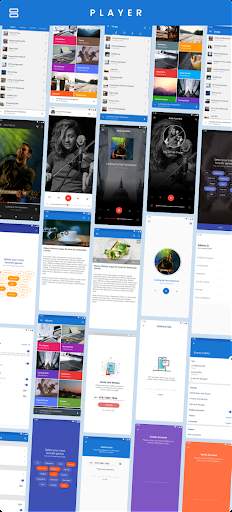
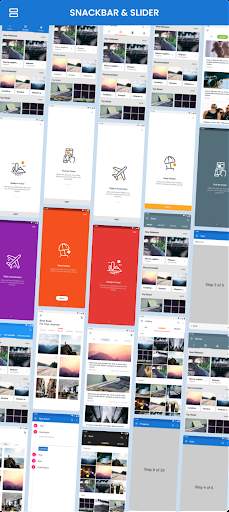
Description
MaterialX is a powerful and versatile tool designed to help developers create stunning user interfaces using Google's Material Design principles. With an extensive library of components and utilities, MaterialX simplifies the process of building visually appealing and responsive applications that adhere to the modern design standards set by Google.
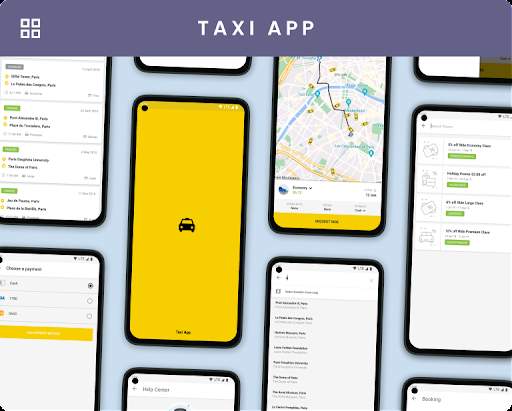
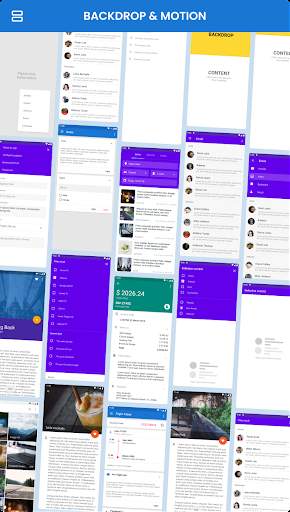
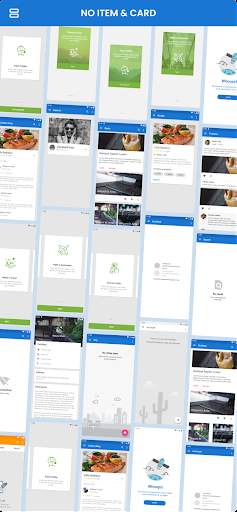
One of the key features of MaterialX is its comprehensive collection of pre-designed UI elements, including buttons, cards, lists, dialogs, and more. These components are fully customizable, allowing developers to easily adapt them to suit the specific requirements of their projects. By leveraging these ready-made components, developers can save time and effort while ensuring a consistent and polished look and feel across their applications.
In addition to its extensive component library, MaterialX offers a range of utilities and tools that aid in the development of Material Design UIs. These utilities include typography styles, color palettes, spacing guidelines, and responsive layouts, all of which are designed to help developers maintain design consistency and coherence throughout their projects. By providing these resources, MaterialX empowers developers to create visually appealing and user-friendly interfaces with ease.
Furthermore, MaterialX follows the latest Material Design guidelines, ensuring that developers can stay up to date with the evolving standards of modern UI design. By adhering to these guidelines, developers can create interfaces that are not only aesthetically pleasing but also intuitive and user-friendly. This commitment to design best practices helps developers deliver exceptional user experiences that resonate with users and enhance the overall usability of their applications.
Another standout feature of MaterialX is its flexibility and scalability. Whether developers are working on a small personal project or a large-scale enterprise application, MaterialX provides the tools and resources needed to create UIs that meet the requirements of any project. With support for customization, theming, and integration with popular frameworks and libraries, MaterialX can adapt to the needs of diverse development environments and projects.
Overall, MaterialX is a comprehensive and versatile solution for developers looking to create modern, visually appealing user interfaces that align with Google's Material Design principles. By offering a rich library of components, utilities, and tools, MaterialX streamlines the UI development process and empowers developers to focus on creating exceptional user experiences. Whether you are a seasoned developer or just starting with Material Design, MaterialX provides the resources and support needed to bring your UI designs to life effectively and efficiently.
Advertisement
Update Content
MaterialX regularly releases updates to improve performance, fix bugs, and introduce new features.
Recent updates may include enhanced UI design, improved stability, and added functionality.
Users can check for updates in the App Store or Play Store and download the latest version of MaterialX.
FAQ
What is MaterialX?
MaterialX is a Material Design UI app that provides a library of customizable components for building modern and stylish interfaces.
How can MaterialX help me in UI design?
MaterialX offers a wide range of UI components following Material Design guidelines, making it easy to create visually appealing and consistent interfaces.
Is MaterialX suitable for both web and mobile app development?
Yes, MaterialX is versatile and can be used for designing UI for both web and mobile applications.
Does MaterialX provide documentation and support?
MaterialX comes with detailed documentation and support to help users effectively implement its components in their projects.
Can I customize the components in MaterialX?
Yes, MaterialX allows users to easily customize the appearance and behavior of its components to fit their specific design requirements.