MultiTracks.com ChartBuilder
Advertisement
Overview
MultiTracks.com ChartBuilder is a powerful tool for creating custom chord charts and sheet music for your favorite songs. Easily transpose keys, add lyrics, and customize the layout to suit your needs. Perfect for musicians, worship leaders, and music directors.
Get the app
All link sources on this site are jumped to App Store, Google Play and other official platforms. No virus, no malware.
Select a PlatformAdvertisement
Screenshots
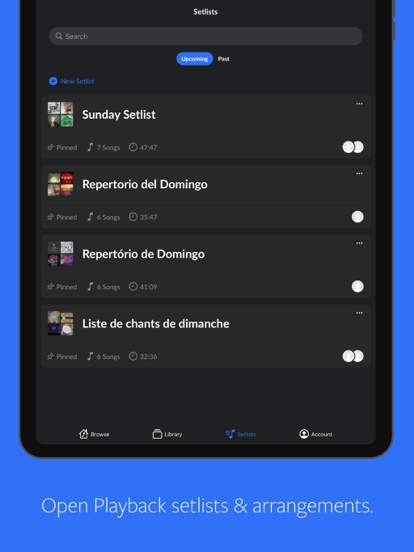
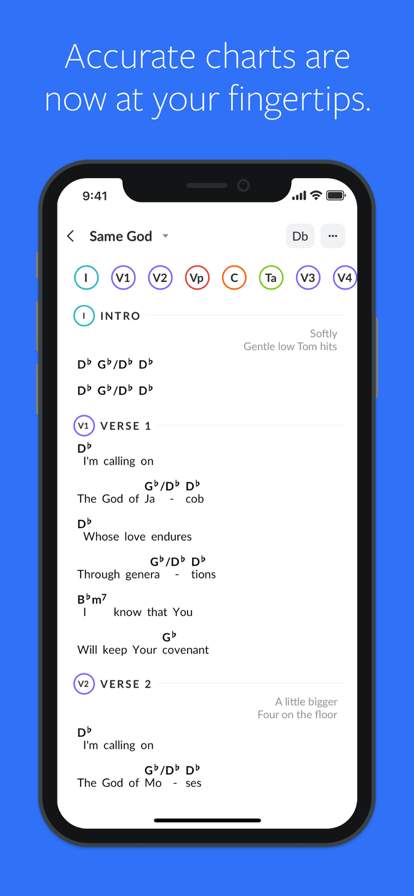
Description
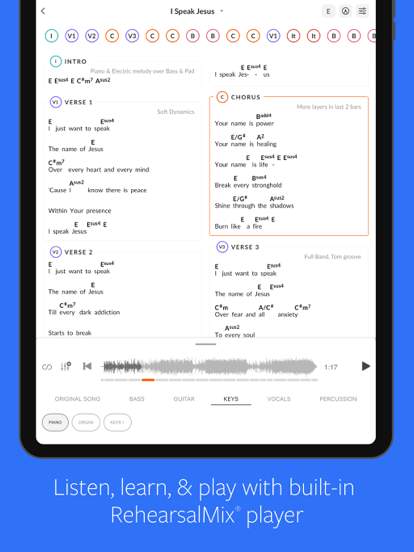
MultiTracks.com ChartBuilder is a powerful and innovative tool designed for musicians, worship leaders, and music directors to create custom chord charts and lead sheets for their favorite songs. This app offers a seamless and intuitive platform for users to easily generate professional-grade sheet music tailored to their specific needs.
With MultiTracks.com ChartBuilder, users can access a vast library of songs from various genres and artists, allowing them to select the songs they want to create charts for. Whether you're a church worship team looking to customize chord charts for Sunday service or a musician wanting to create lead sheets for a gig, this app provides the flexibility and functionality to meet your requirements.
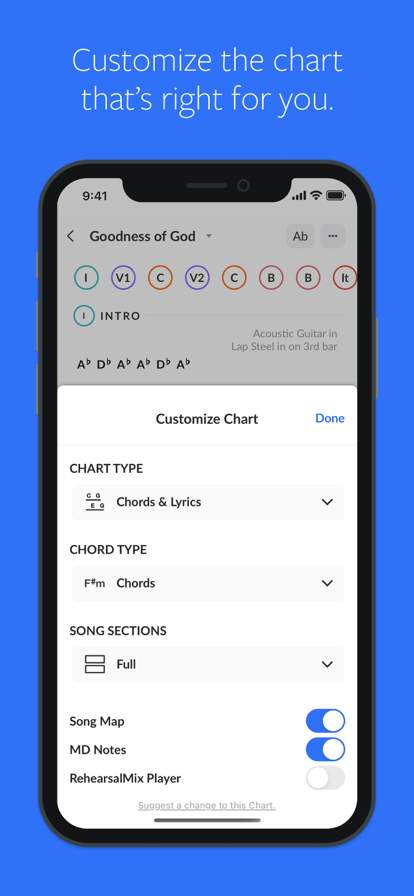
One of the key features of MultiTracks.com ChartBuilder is its user-friendly interface, which makes it easy for users to input chord progressions, lyrics, and other musical elements with precision and accuracy. The app also offers a variety of customization options, allowing users to adjust fonts, layouts, and other design elements to create charts that suit their personal preferences.
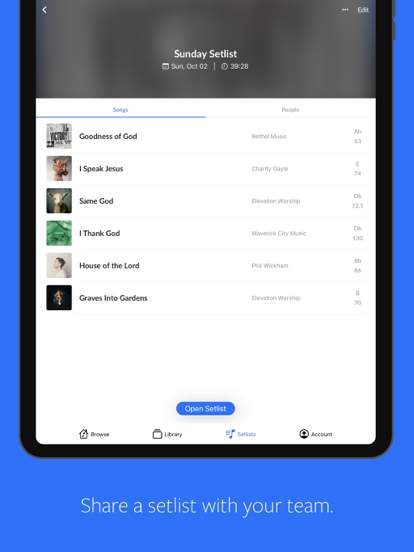
Another highlight of MultiTracks.com ChartBuilder is its collaborative capabilities, enabling multiple users to work on the same project simultaneously. This feature is particularly useful for music teams and bands who need to collaborate on creating and editing charts for their performances.
In addition to its chart creation tools, MultiTracks.com ChartBuilder also offers a range of supplementary features to enhance the user experience. These include transposition options, playback functionality, and the ability to export charts in various formats, such as PDF and image files.
Furthermore, MultiTracks.com ChartBuilder is designed to seamlessly integrate with other music software and hardware, allowing users to import and export charts across different platforms and devices. This interoperability ensures that users can work on their projects wherever they are, whether in the studio, on stage, or on the go.
Overall, MultiTracks.com ChartBuilder is a versatile and indispensable tool for musicians and music enthusiasts who seek to streamline the process of creating and customizing chord charts and lead sheets. With its user-friendly interface, collaborative features, and extensive library of songs, this app empowers users to bring their musical ideas to life with ease and efficiency.
Whether you're a seasoned musician or a novice looking to enhance your music production skills, MultiTracks.com ChartBuilder offers the tools and resources you need to create high-quality charts that meet your unique requirements. Experience the convenience and creativity of MultiTracks.com ChartBuilder and take your music to the next level.
Advertisement
System Compatibility
Ensure your device is compatible with the MultiTracks.com ChartBuilder app.
Compatible with iOS and Android devices.
May not be supported on older devices or certain versions.
Performance may vary depending on device specifications.
Permission Access
Understand why the app requires certain permissions.
Permissions required for accessing files, recording audio, and connecting to external devices.
These permissions are necessary for the app to function properly.
Update Content
Stay informed about the latest updates and improvements to the app.
Recent updates include bug fixes, performance enhancements, and new features.
We strive to continually improve the user experience and functionality of the app.
FAQ
What is MultiTracks.com ChartBuilder?
MultiTracks.com ChartBuilder is a platform that allows users to create charts for live worship services.
How can I access MultiTracks.com ChartBuilder?
You can access MultiTracks.com ChartBuilder by downloading the app from the app store.
Can I import my own songs into MultiTracks.com ChartBuilder?
Yes, you can import your own songs into MultiTracks.com ChartBuilder to create custom charts.
Are there any subscription fees for using MultiTracks.com ChartBuilder?
Yes, there are subscription fees for using MultiTracks.com ChartBuilder, which provide access to additional features and content.
Is MultiTracks.com ChartBuilder available on both iOS and Android?
Yes, MultiTracks.com ChartBuilder is available on both iOS and Android devices for user convenience.