Mirror - Fullscreen Mirror App
Advertisement
Overview
Mirror is a convenient fullscreen mirror app that turns your device into a practical tool for checking your appearance on-the-go. With its easy-to-use interface, you can ensure you always look your best wherever you are.
Get the app
All link sources on this site are jumped to App Store, Google Play and other official platforms. No virus, no malware.
Select a PlatformAdvertisement
Screenshots
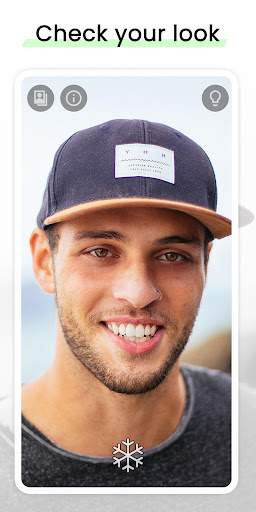
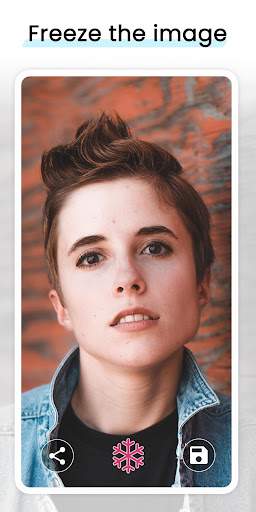
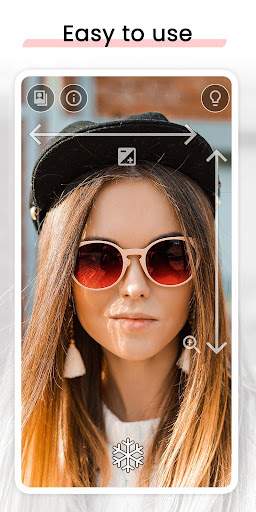
Description
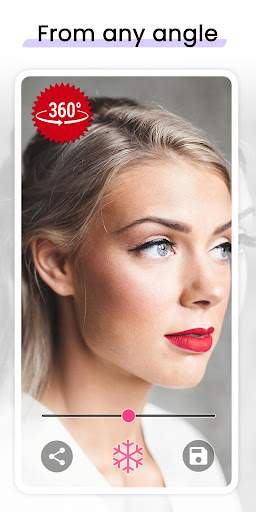
Mirror is a versatile and convenient fullscreen mirror app that transforms your device into a portable mirror with just a tap of a button. Whether you need to quickly check your appearance on the go, fix your makeup, or ensure your hair is on point, this app has got you covered.
With Mirror, you can say goodbye to the hassle of searching for a mirror or carrying a bulky physical mirror with you. The app utilizes the front-facing camera of your device to provide you with a clear and crisp reflection in real-time. The fullscreen display ensures that you can see yourself clearly and make any necessary adjustments with ease.
One of the key features of Mirror is its simplicity and ease of use. The interface is user-friendly, allowing you to access the mirror function with a single tap. There are no complicated settings or configurations to worry about, making it perfect for quick touch-ups or last-minute checks.
Mirror is not just a basic mirror app – it also offers additional functionalities to enhance your mirror experience. You can adjust the brightness and contrast levels to ensure optimal visibility in any lighting conditions. This customization feature allows you to tailor the mirror to your preferences and make sure you always look your best.
Furthermore, Mirror includes a zoom option that enables you to zoom in on specific areas for a closer look. Whether you need to focus on intricate details or want to get a better view of your makeup application, the zoom feature provides added flexibility and precision.
Privacy is also a top priority with Mirror. The app does not store or share any of your images or data, ensuring that your privacy is protected at all times. You can use the app with confidence, knowing that your personal information remains secure and confidential.
Mirror is a versatile tool that caters to a wide range of users. From professionals who need to maintain a polished appearance to beauty enthusiasts who enjoy experimenting with makeup looks, this app is a handy companion for all your mirror needs. Whether you are at home, in the office, or on the go, Mirror provides a convenient solution for checking your reflection anytime, anywhere.
In conclusion, Mirror is a practical and reliable fullscreen mirror app that offers simplicity, functionality, and privacy. With its easy-to-use interface, customizable settings, and additional features, Mirror is a must-have tool for anyone who wants a convenient mirror solution right at their fingertips. Download Mirror today and experience the convenience of having a portable mirror wherever you go.
Advertisement
System Compatibility
Ensure the app is compatible with your device and system version.
Compatible with Android and iOS.
May not work on all devices or OS versions. Please check app store for compatibility.
Performance may vary depending on device specifications.
Permission Access
Understand why the app requires certain permissions.
Camera access for mirror functionality.
The app requires access to your camera to provide you with a fullscreen mirror experience.
Update Content
Stay updated with the latest improvements and features.
Improved stability and performance.
Bug fixes and user interface enhancements.
FAQ
How can I use the Mirror app as a fullscreen mirror?
Simply open the app and switch to the fullscreen mode to use your device as a mirror.
Is the Mirror app suitable for checking your appearance?
Yes, the Mirror app provides a clear reflection for you to check your appearance.
Can I adjust the brightness of the mirror in the app?
Yes, you can adjust the brightness setting in the Mirror app for better visibility.
Does the Mirror app work in low-light environments?
Yes, the Mirror app is designed to work in various lighting conditions, including low-light environments.
Can I save images captured through the Mirror app?
No, the Mirror app is designed for real-time reflection and does not save images.